Measure your space. Make a practical plan.
Garden bed layout and plant spacing
Turn a measured growing space into a planting layout. Use the calculator to count positions before you buy seeds or plants.
This site provides garden planning guidance and a free calculator. The calculator uses your measurements and spacing choices.
Start with the space you can plant
Garden bed layout calculator
Enter the inside dimensions of one rectangular planting area. Exclude walls, paths, and space reserved for equipment. Enter the final plant spacing and row spacing from your chosen variety’s instructions. The example values illustrate the calculation; they do not recommend spacing for a crop.
Tool limits: bed dimensions from 0.1 to 1,000 feet; spacing from 0.1 to 1,200 inches.
What the result means
Each position occupies a complete rectangular cell. Place a plant at its center. Rows run along the bed’s length. The model leaves at least half the selected spacing between a plant center and the nearest bed edge. It does not place plants in incomplete cells.
Rows = floor(width × 12 ÷ row spacing). Plants per row = floor(length × 12 ÷ plant spacing). Multiply these counts for the total. “Floor” means round down to a whole number. The conversion, 12 inches per foot, comes from NIST Handbook 44, Appendix C (2025).
A 4 × 8 foot bed with 12 inch spacing in both directions has 4 rows of 8 positions: 32 total. At 6 inch square spacing it has 128 positions; at 24 inches it has 8. These are calculated examples, not harvest forecasts or planting recommendations.
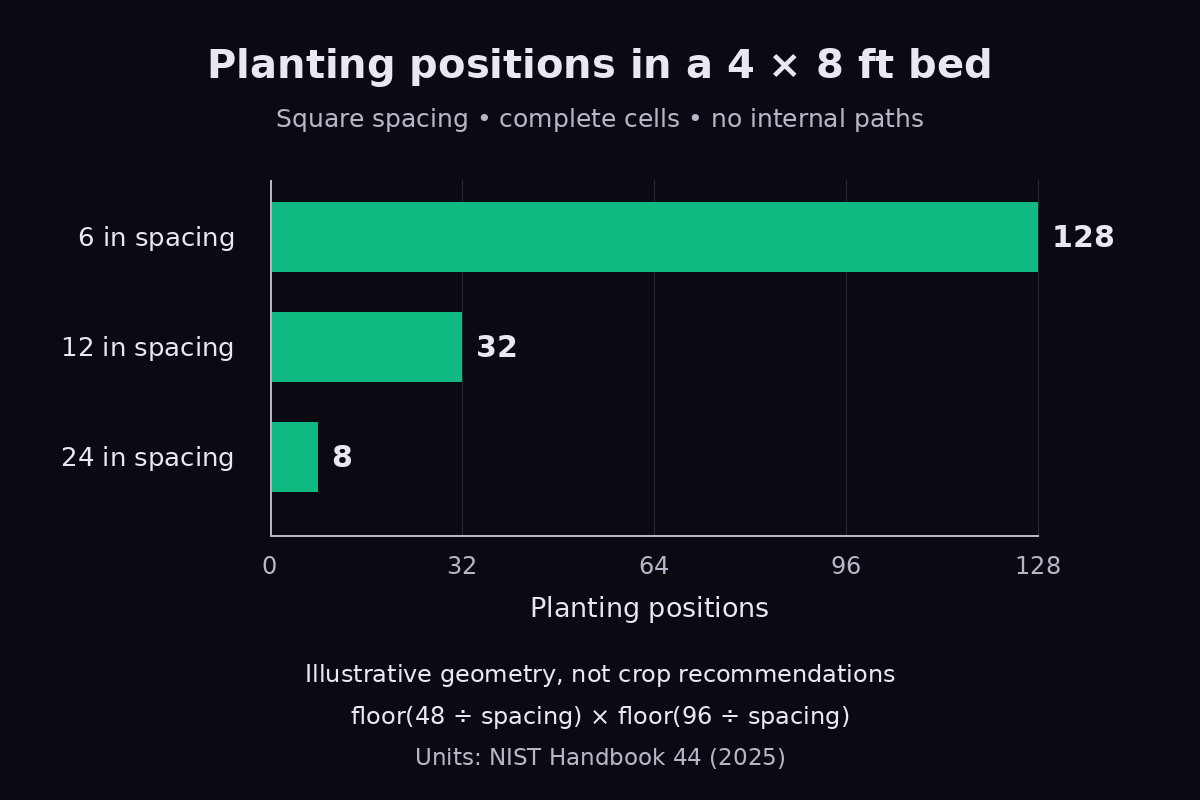
From measurements to a garden plan
Choose the site before the plants
Check the proposed location for sunlight, drainage, and convenient water access. University of Georgia Extension’s Home Gardening bulletin (2026) recommends these site features. It also advises putting crop choices and plant distances on a garden map.
Draw the boundary on paper. Mark the entrance, paths, water connection, and any fixed supports. Label each planting area separately. Measure the space inside each boundary instead of using the outside dimensions of the entire garden.
Keep your zone and your layout separate
The USDA Plant Hardiness Zone Map (2023) describes average annual extreme minimum winter temperature. USDA uses it to help gardeners select perennial plants. Its Map Creation notes identify 1991–2020 as the observation period. Treat that information as winter climate context, not a planting calendar.
Keep a separate note for local planting advice. Ask your local extension office about your chosen crops and location. Do not enter a hardiness zone as a spacing measurement. The calculator needs physical dimensions, so it does not request a zone or infer planting dates from one.
Use the right spacing instruction
Copy both the between-plant distance and the between-row distance into your plan. Do not assume these distances match. University of Georgia Extension’s Home Gardening bulletin (2026) distinguishes them in its garden planning instructions.
If instructions give a range, compare layouts at both ends before choosing a value. Keep the source instructions with your sketch. For a bed with several crops, draw separate rectangles and calculate each rectangle individually. Include access space outside those rectangles.
Check the layout on the ground
Mark your proposed rows before planting. Check whether you can reach the centers from your planned paths. If access requires a path through the bed, remove that space from the dimensions and calculate the remaining rectangles again.
Record the variety, planting date, and eventual harvest date. University of Georgia Extension’s Home Gardening bulletin (2026) recommends these records. Add your own notes about which parts of the layout were difficult to reach or maintain.
Understand the limits
The calculator counts positions, not successful plants. It does not predict germination, survival, yield, or suitable crop combinations. It assumes straight rows, uniform spacing, and a rectangular area. It does not model staggered layouts, circular containers, or an irregular boundary.
If the result is zero, the selected spacing cannot fit a complete cell along at least one dimension. Recheck the units and measurements. Do not reduce a crop’s required spacing just to obtain a larger count.
Sources used in this guide
- NIST, Handbook 44 (2025), Appendix C: length conversion.
- USDA Agricultural Research Service, Plant Hardiness Zone Map and Map Creation (2023): winter temperature definition and observation period.
- University of Georgia Extension, Home Gardening, Bulletin 577 (2026): site selection, planting maps, spacing, and garden records.